Login to linkedcare
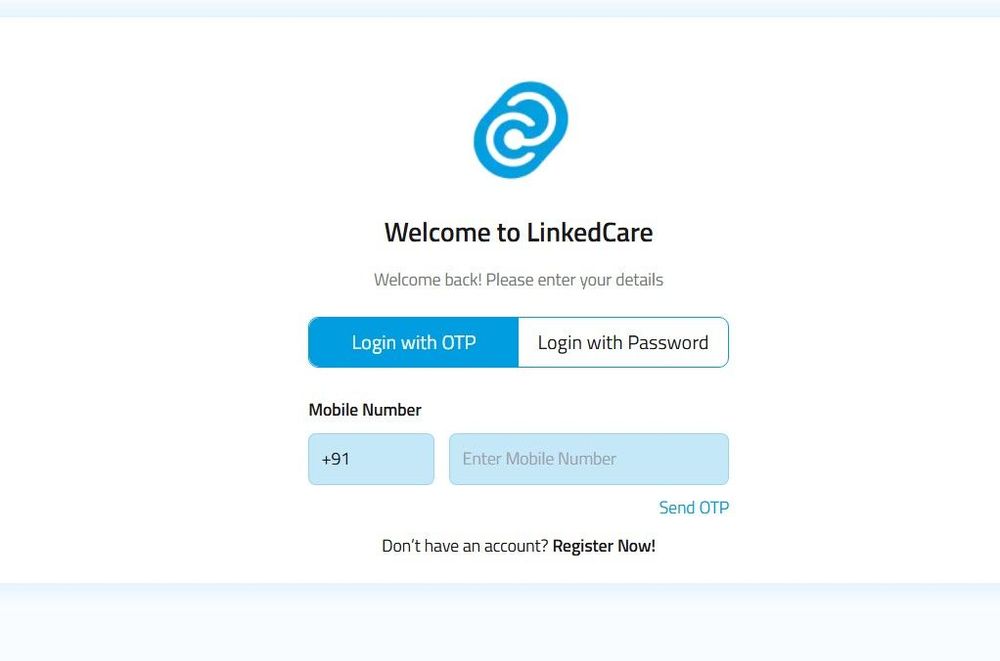
Login to LinkedCare Welcome to LinkedCare
You can securely access your LinkedCare account using your registered mobile number. LinkedCare offers two ways to log in:
Login with Password – The standard and preferred method for everyday use. Login with OTP – An alternative method when you prefer to verify your identity using a One-Time Password (OTP).
If you're logging in for the first time, you'll need to complete a one-time account setup before using either login method.
First-Time Login
If this is your first time logging in to LinkedCare, follow these steps:
- Open the LinkedCare mobile app or web portal.
- Enter your registered 10-digit mobile number.
- Enter the default password provided by your healthcare provider or administrator.
- Tap Login.
- An OTP (One-Time Password) will be sent to your registered mobile number.
- Enter the OTP to verify your identity.
- Create and confirm your new password.
- Tap Save or Continue.
🎉 Success! Your account has been activated. You can now log in using either your password or an OTP.
Login with Password (Preferred)
After completing the first-time setup, you can log in using your password.
Steps to Log In
- Open the LinkedCare mobile app or web portal.
- Enter your registered 10-digit mobile number.
- Enter your password.
- Tap Login.
If your credentials are correct, you'll be signed in successfully.
Login with OTP
If you don't want to use your password, you can log in using an OTP instead.
Steps to Log In
- Open the LinkedCare mobile app or web portal.
- Select Login with OTP.
- Enter your registered 10-digit mobile number.
- Tap Send OTP.
- Enter the OTP received on your registered mobile number.
- Tap Verify.
🎉 Success! Once the OTP is verified, you'll be logged in to your LinkedCare account.
Troubleshooting
Didn't receive the OTP?
- Ensure you have a stable mobile network.
- Verify that you've entered the correct registered mobile number.
- Wait for a few seconds and tap Resend OTP if needed.
Forgot your password?
Select Forgot Password (if available) on the login screen and follow the instructions to reset your password.
Helpful Tips
- Always use your registered mobile number.
- Keep your mobile network active while requesting an OTP.
- For your security, log out after using LinkedCare on a shared or public device.