Add ADT Tasks
Add ADT Tasks
This guide explains how to configure ADT (Admission, Transfer, and Discharge) tasks in LinkedCare.
Step 1: Open LinkedCare
Visit web.linkedcare.com in your web browser.
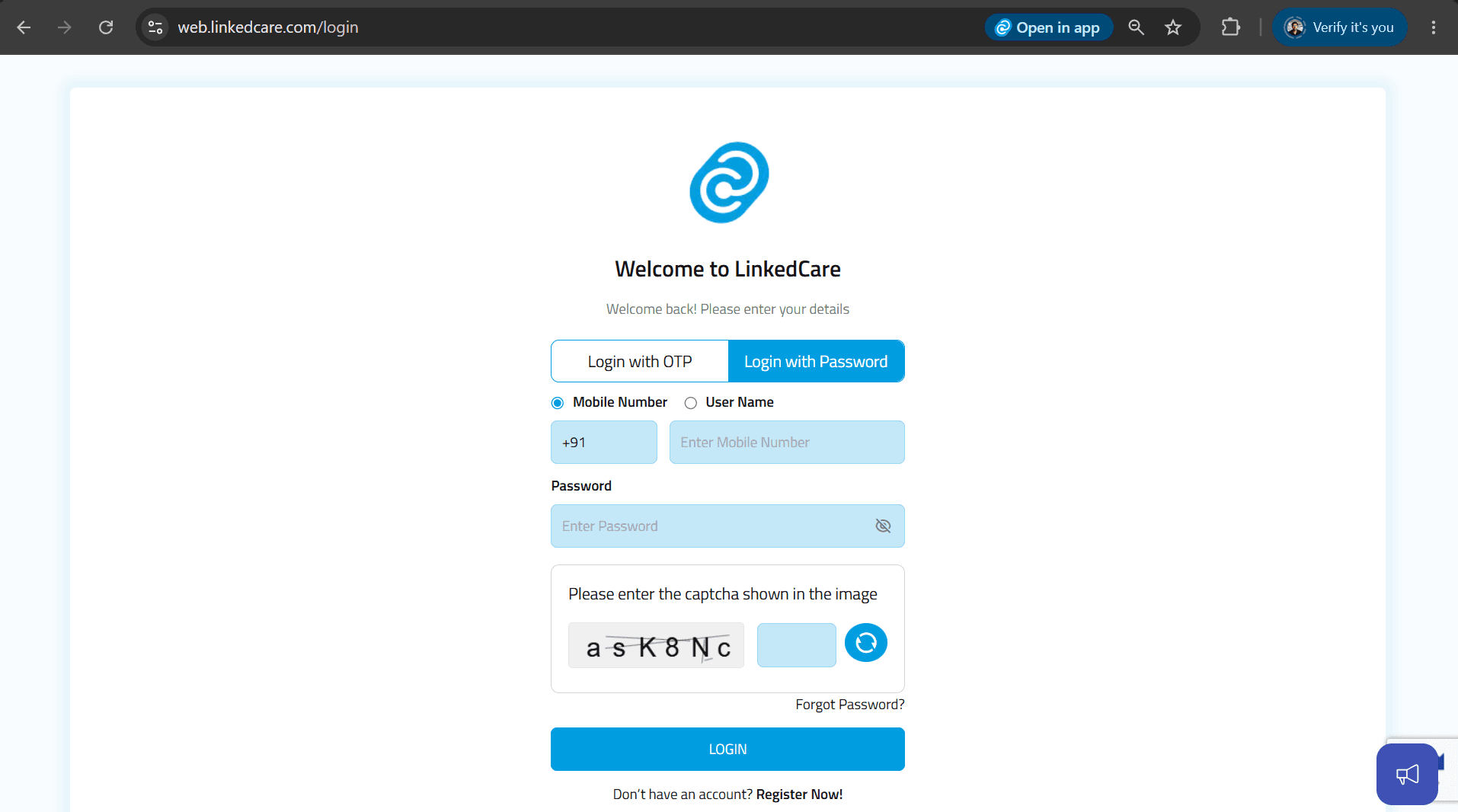
Step 2: Log In as Clinic Admin
Sign in using your Clinic Admin credentials.
Step 3: Navigate to the ADT Tasks Section
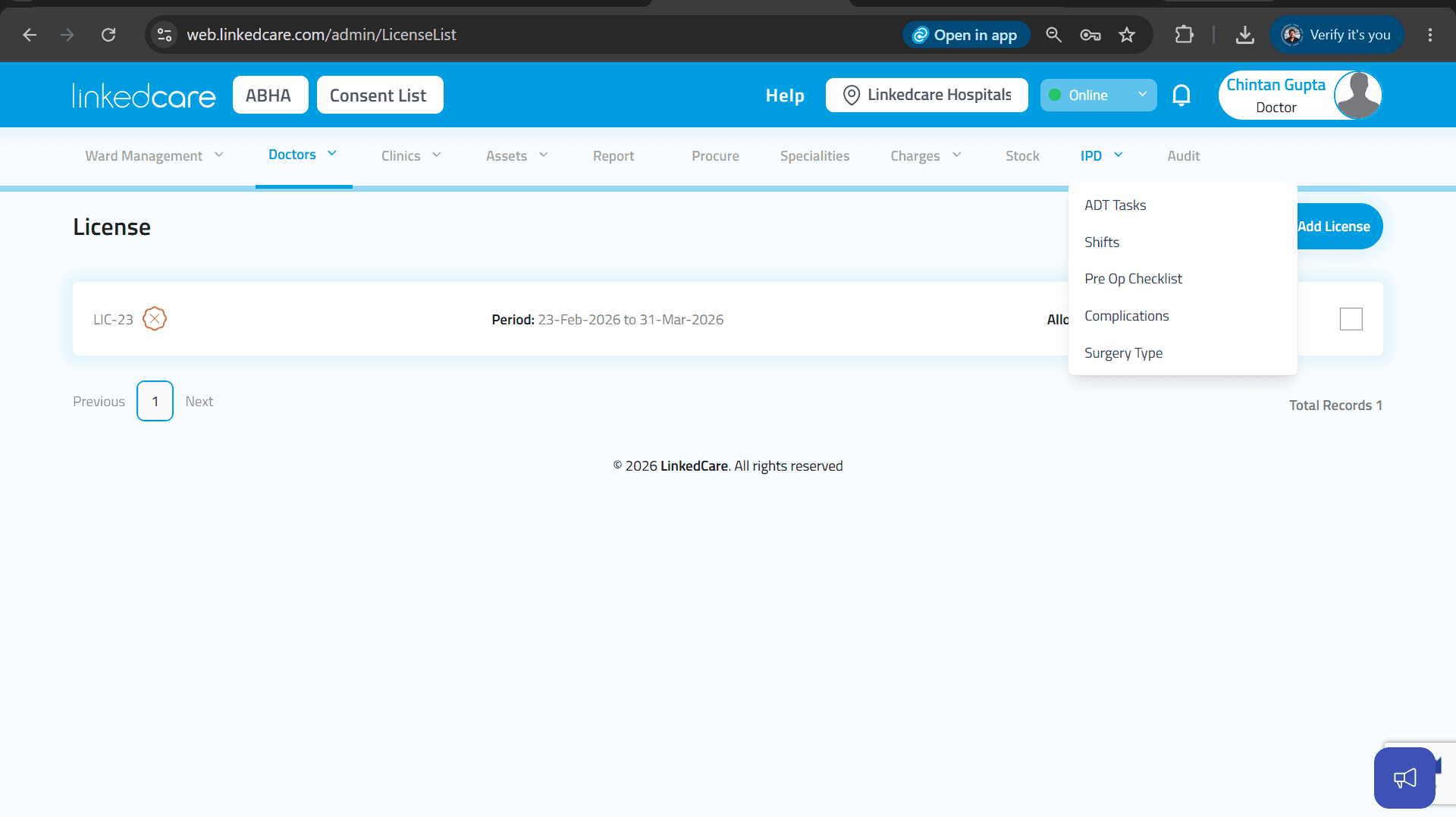
From the navigation bar, click IPD. From the drop-down menu, select ADT Tasks.
Step 4: Select the ADT Task Type
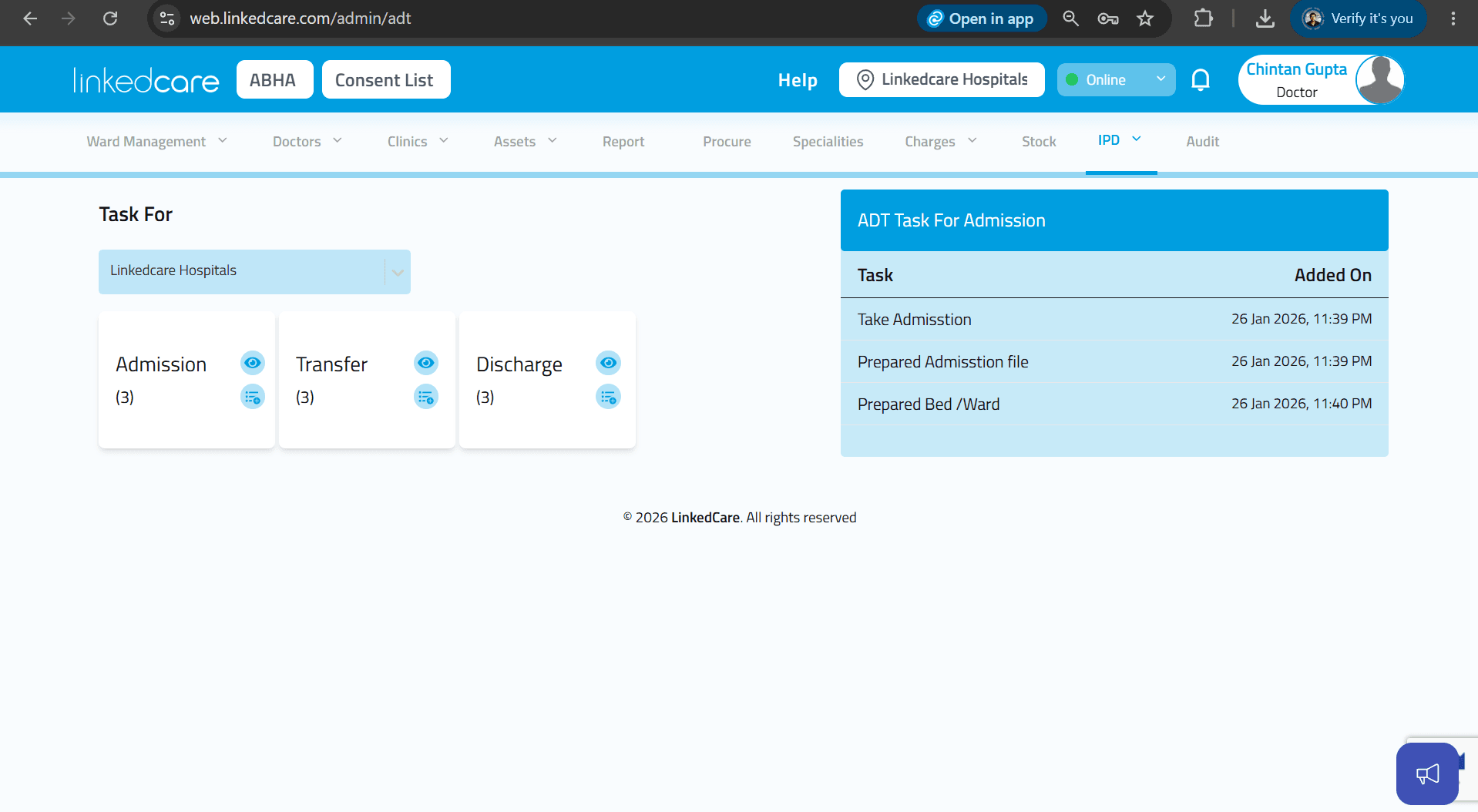
You will see three task categories:
- Admission
- Transfer
- Discharge
Each category contains a View icon and an Edit icon.
Step 5: Add Tasks
Click the Edit icon for the required category.
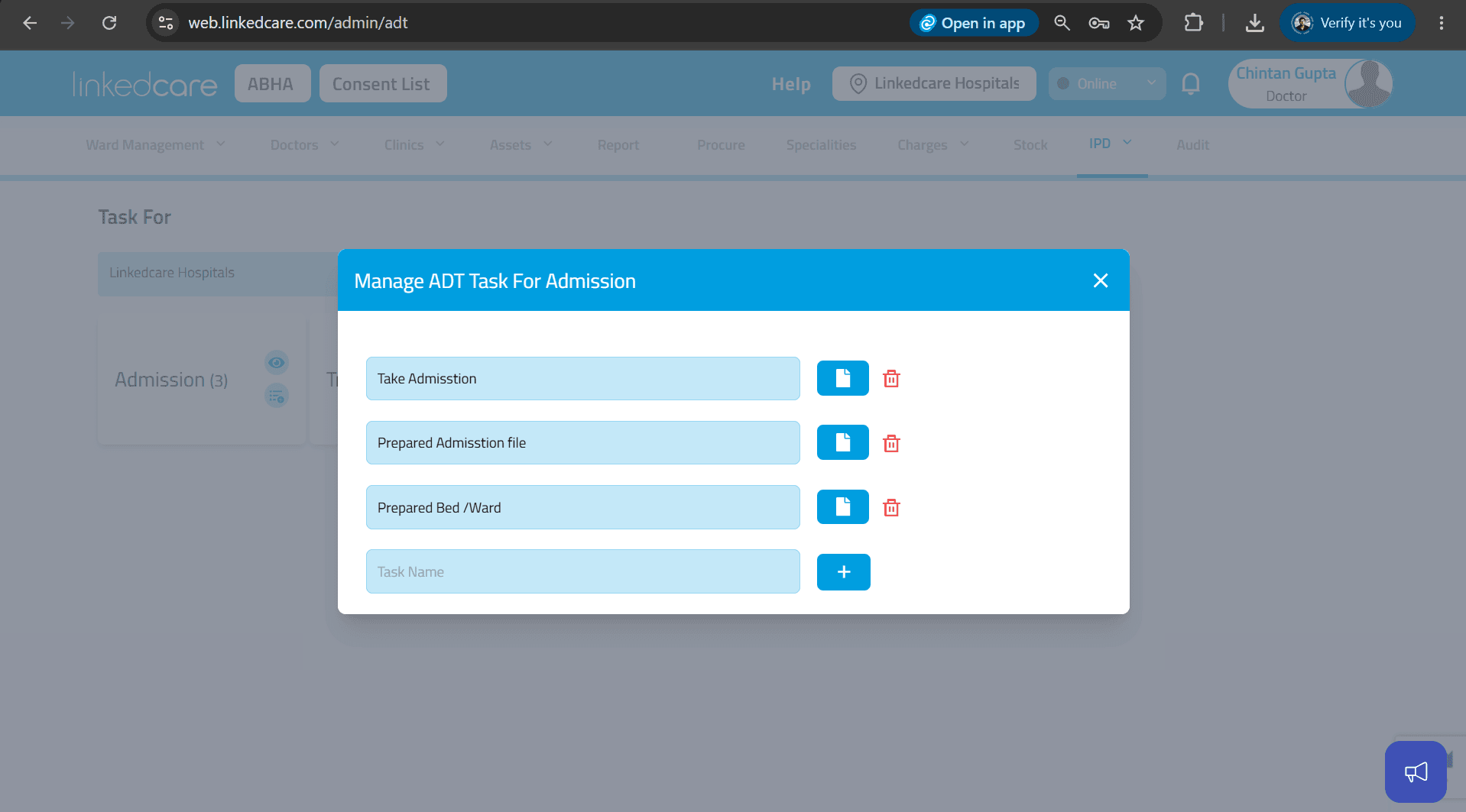Enter the task name and click the + icon to add it.
Repeat this process to add all the required tasks for each category.
Step 6: View Added Tasks
Click the View icon on any category to view all the tasks configured for that ADT process.
Step 7: Configure Tasks for All ADT Processes
Add the required tasks for each of the following categories:
- Admission
- Transfer
- Discharge
These tasks will be displayed in the Nursing Module whenever the corresponding ADT action (Admission, Transfer, or Discharge) is performed.
Success
Your ADT tasks have been configured successfully and are now available in the Nursing Module.