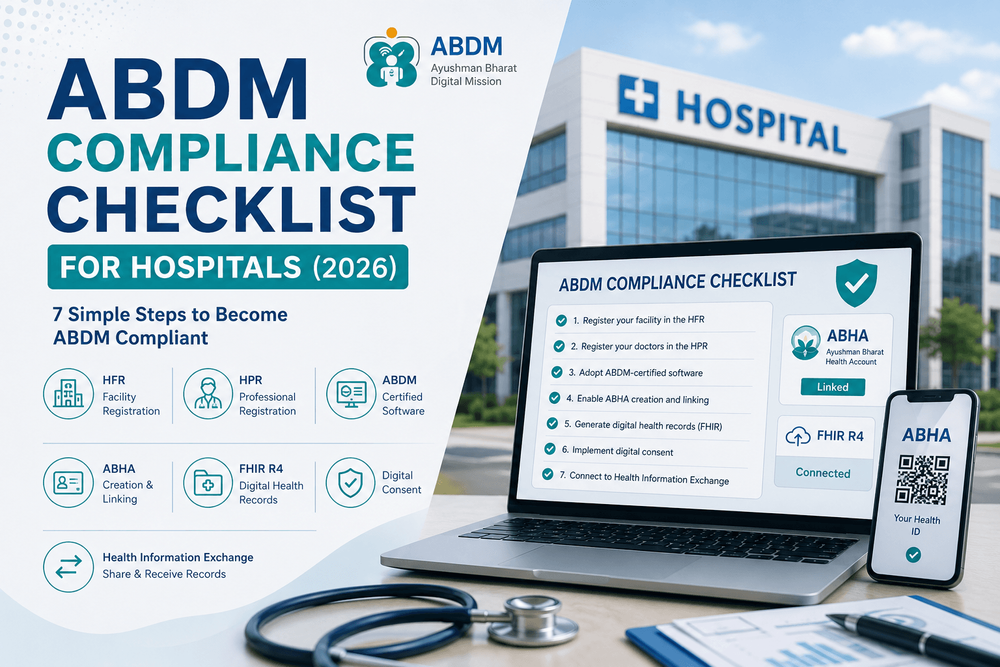
The 7-Step ABDM Compliance Checklist for Hospitals and Clinics
If your hospital needs to achieve Ayushman Bharat Digital Mission (ABDM) compliance — driven by state health directives, PM-JAY empanelment standards, or digital modernization — the process follows a structured blueprint. This checklist breaks down the operational steps so hospital administrators can audit their readiness.
Before You Start: What "ABDM Compliant" Really Means
Administered by the National Health Authority (NHA), ABDM compliance ensures that your medical facility is registered, your clinical staff is digitally authenticated, and your software infrastructure can create and securely transmit health records using interoperable FHIR R4 (Fast Healthcare Interoperability Resources) data models, backed by verified patient consent.
The 7-Step ABDM Compliance Checklist
Step 1 — Register Your Facility in the HFR
Enroll your hospital, nursing home, or clinic in the Health Facility Registry (HFR) to secure an official facility ID. This unique identifier forms the foundation to which all billing, clinical notes, and government scheme records link.
- Facility registered in the central HFR portal
- Unique HFR facility ID received and verified
- Accurate department rosters, clinical specialties, and address details configured
Step 2 — Register Your Doctors in the HPR
Enroll all practicing physicians and specialists in the Health Professional Registry (HPR). Their State Medical Council registrations are digitally authenticated and mapped directly to your hospital’s HFR profile.
- Practicing clinical team registered with verified HPR IDs
- Doctor credentials mapped to your facility's HFR profile
- HPR onboarding integrated into standard staff recruitment workflows
Step 3 — Adopt ABDM-Certified HMIS / EMR Software
Your hospital management information system must be officially certified across ABDM milestones (M1, M2, and M3). It must support FHIR R4 bundle generation rather than proprietary, closed-format database records.
- Hospital software is certified by the National Health Authority
- Native FHIR R4 clinical data bundle creation supported
- Software vendor provides verifiable ABDM sandbox certification credentials
Step 4 — Enable ABHA Creation & Scan-and-Share Workflows
Equip your reception and OPD billing desks to generate or link an Ayushman Bharat Health Account (ABHA) instantly at check-in via Aadhaar OTP, mobile OTP, or ABDM QR code Scan-and-Share.
- Reception staff can generate an ABHA number in seconds during registration
- OPD counters support ABDM QR code Scan-and-Share for instant token creation
- ABHA numbers attach automatically to internal Unique Hospital Identification (UHID) records
Step 5 — Generate Digital Health Records as FHIR Bundles
Configure clinical workflows so that OPD consultation summaries, diagnostic lab reports, e-prescriptions, and discharge summaries automatically export as structured FHIR R4 records — eliminating scanned paper uploads.
- OPD consultation summaries generated digitally at the point of care
- Prescriptions structured using standard medical terminology
- Pathology and radiology results linked to patient UHID profiles
- Inpatient discharge summaries digitised into compliant formats
Step 6 — Implement the Digital Consent Management Framework
Under ABDM guidelines, health records cannot be shared without express patient authorization. Your hospital software must integrate with the electronic consent architecture so data transfers are legal and auditable.
- Digital consent requested and validated before outbound record sharing
- Support for time-bound, purpose-specific, and revocable consent artifacts
- Tamper-proof digital consent audit trails maintained in the system
Step 7 — Connect to the Health Information Exchange (HIE-CM)
Connect your facility to the Health Information Exchange & Consent Manager (HIE-CM) as both a Health Information Provider (HIP) and Health Information User (HIU), enabling bidirectional care continuity.
- Configured as an active Health Information Provider (HIP) to publish health records
- Configured as a Health Information User (HIU) to review external diagnostic histories
- Referral workflows integrated with the national digital exchange
How Long Does ABDM Certification Take?
Implementation timelines vary depending on your software foundation, but standard timeframes are typically straightforward:
| Hospital Starting Point | Typical Time to Full Compliance |
|---|---|
| Already using an ABDM-certified HMIS | 3–7 Days: Primarily administrative HFR and HPR credentialing |
| Legacy software adding a certified middleware layer | 2–4 Weeks: API configuration, sandbox testing, and operational validation |
| Migrating from paper or legacy software to a modern certified cloud HMIS | 3–6 Weeks: Full data migration, role-based staff onboarding, and go-live |
The software foundation is the single biggest factor. With a certified cloud HMIS, Steps 3 through 7 operate out-of-the-box, allowing hospital management to focus purely on HFR and HPR registrations.
Common Implementation Roadblocks (and Solutions)
"Our legacy software cannot generate FHIR R4 bundles."
Avoid attempting custom API bridges over legacy database schemas. Deploy a pre-certified ABDM connector middleware or transition directly to an out-of-the-box certified system.
"Unstable internet interrupts OPD registration."
Choose a modern HMIS platform with offline caching capabilities, allowing clerks to complete check-ins locally and sync ABHA linkages automatically once connectivity restores.
"Concerns over setup costs and licensing fees."
NHA sandbox testing, HFR registration, and HPR credentialing are completely free government services. Cloud-native hospital software eliminates on-premise server maintenance while speeding up insurance claim settlements.
How LinkedCare Simplifies the ABDM Checklist
LinkedCare handles Steps 3 through 7 natively within the daily clinical interface, removing technical barriers for hospitals without dedicated IT staff:
- Pre-Certified Platform: Built from the ground up to support ABDM milestone requirements and automated FHIR R4 schema formatting out of the box.
- Frictionless Check-Ins: Instant ABHA creation and QR scan-and-share workflows built directly into the OPD registration module.
- Automated Clinical Documentation: Inpatient discharge summaries, diagnostic reports, and digital prescriptions convert into compliant exchange records automatically.
- Seamless Consent Exchange: Built-in consent verification connects your facility directly to the ABDM Health Information Exchange without external integration projects.
This leaves hospital teams with only Steps 1 and 2 (HFR and HPR registrations) — both of which are straightforward and guided by LinkedCare’s onboarding specialists.
Frequently Asked Questions
Do I have to complete the steps in this exact order?
Can I become ABDM compliant without changing my software?
Is there an official government fee for HFR/HPR registration?
Where do I confirm state-specific implementation deadlines?
Accelerate Your Hospital's ABDM Compliance
See how LinkedCare automates ABHA registration, FHIR clinical records, and exchange connectivity directly in your existing workflow.
Schedule a Compliance DemoDisclaimer: This checklist reflects National Health Authority (NHA) operational guidelines. Compliance mandates and PM-JAY integration timelines vary by state authority; verify specific state requirements prior to execution.